Striking the Technology Balance
by Jeff Altman
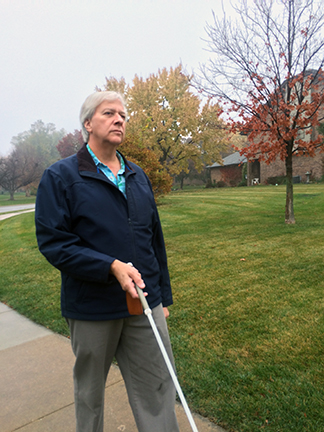 From the Editor: Jeff Altman has been teaching cane travel for thirty-six years. He graduated from the Orientation and Mobility program at Louisiana Tech in 2001 and has long served on the National Blindness Professional Certification Board (NBPCB) and the NOMC Trainers Committee. He has also served as vice president of the National Federation of the Blind of Nebraska. In this article, Jeff applies his experience and intellect to the question of how we as blind people might incorporate new technology into our daily lives while still valuing our fundamental blindness skills. Although much of what he has to say is directed to blindness skills instructors, it has application to all of us. Readers who enjoy this article might also want to listen to the Nation’s Blind Podcast episode on this topic, which was published in May to coincide with Global Accessibility Awareness Day. Here is Jeff’s article:
During the past thirty-five years, the rate of technological change has been astounding. When I began working in the blindness rehabilitation field, desktop computers were still very much in their infancy, cell phones were rare and very expensive, and the idea of a “smart phone” was pure science fiction. I point this out not because I’m just one of those “boomers,” but to make clear that before the digital revolution, blind people were independent, competent, and competitive members of their communities. Before there was “keyboarding,” there was typing. Before there was the electronic notetaker, there were the slate and stylus and the Braillewriter. Before there was GPS, there were blind people getting around independently by using the GPS between their ears. And that is my point: no matter how advanced technology becomes, we still have to be skilled problem-solvers who are fully engaged with our environment and prepared to adapt.
As Curtis Chong said: “As amazing and beneficial as technology can be in our lives, it is worth pointing out that the blind, like everybody else, are being pushed by societal forces that are often not in their control to work with digital technology simply to survive. Needing to use an iPhone simply to unlock your apartment door or to pay for operating your laundry-room washer and dryer are examples where technology can, for some, create frustrations and challenges if not properly introduced. Our centers are beginning to start their technology training with the iPhone—not because it is better than the computer but because students might need to use the iPhone simply to accomplish even the most basic of daily living tasks.
“As I have often said to people who would listen, the iPhone and similar devices are computers in your pocket. And like computers, they provide all of the benefits and the frustrations that pertain to using computer technology. Recognizing when it is better to use a low-tech solution and having the judgment to know when this is appropriate is a key ingredient of the training our centers provide.”
Without question, the digital revolution has provided us with greater access than we have ever known before, even though we have had to fight hard to make certain that we were included. These technologies have made our daily lives easier and our working lives more efficient. And now, with the growing role of artificial intelligence, the possibilities seem nearly overwhelming. Yet these digital marvels are not perfect and simply do not hold all the answers.
As individuals, each of us must develop a range of skills, beginning with the low-tech alternatives, along with developing the skills demanded of the evolving high-tech environment to the best of our ability. As instructors assisting blind students to develop these skills, we must not only keep up but must also devise appropriate approaches to instruction to ensure that our students are truly comprehending the proper role of digital technologies in their lives.
How we go about developing our own skills or those of our students must be based upon individual experiences, abilities, and needs; it cannot be a “one size fits all” approach.
Nonetheless, there can be many benefits and shortcomings to these evolving technologies, and we as instructors have to be prepared to deliver the proper learning experience when the teaching moments that these shortcomings create arise. Perhaps some examples will help to clarify this point.
A travel student some years ago was on a drop route. Students were told not to use the GPS on their smart phones, but this particular student did not follow this rule and experienced just how inaccurate GPS can be. She had a pretty good idea where she was, but she decided that she needed to use the GPS on her phone to help her locate the bus shelter she wanted to find as a landmark. She was observed several times, and for more than half an hour she walked back and forth checking her phone and looking for the bus shelter. She was unaware that she had several times come within twenty feet of the shelter, only to turn around and walk in the opposite direction. Finally, it was necessary to become involved. She was asked what was happening and why she was using her GPS. She said that she was using the GPS because she had become frustrated, but even though she now knew she was on F Street, she couldn’t seem to find the bus shelter. She said that the GPS kept telling her she needed to go west, but then it would tell her she had gone too far, and she would then turn around. Based on the GPS, she just couldn’t find the shelter. She was asked, “Since the GPS doesn’t seem to be helping, what else could you try?” She thought about it for a while, and then said, “I guess I could try walking further west.” In a few minutes she discovered the bus shelter and was able to return to the training center from there. Later, we debriefed, and she was better able to understand the reasons for not using the GPS during travel classes and some of the technology’s flaws.
Another student was preparing his graduation meal and decided to use the Seeing AI app to determine when his chocolate chip cookies were done. Well, they were edible, but a bit crispy. He was frustrated enough by this experience that he attempted to make the cookies again the next day, but this time using a non-visual non-tech alternative, and the cookies came out just right.
Each of these examples led to a teachable moment that helped the student involved to gain a better understanding of the limitations of the technology they had relied upon and the benefits of having a set of alternatives that are not dependent on digital technology. This also points to the need for instructors to push themselves to understand these new technologies and to test the abilities of Be My AI and similar applications. I tried out some of these apps because I wanted to see just what they can do to assist with independent travel. Be My AI provided a remarkable range of interesting but noncritical information, including that there were cars parked in the parking lot, the sky was blue, and there were shadows of tree branches on the ground. But it struggled to recognize driveways, bus shelters, and intersections, all of which would be valuable pieces of information in a real travel situation.
Outside of the training environment, there are similar situations that arise, and there is a need to consider how students will handle real-world situations once they have completed their training and new technologies have come into their lives. As an example, a friend was presenting at a conference and had prepared the presentation on her notetaker equipped with refreshable Braille. She did not have a hard copy, and of course, midway into the speech, the problems began. First she lost her place, then the notetaker started skipping lines. Finally, it quit altogether. She was able to finish her presentation without her notes, but it was challenging. Naturally, shortly after the end of her presentation, the notetaker started working again. Presenting from hardcopy Braille may have its challenges as well, but it is not likely to glitch.
Clearly there is a need for us to provide our students with a skill set that can transition from the training environment to the everyday world and transfer from one situation or technology to another. Countless times I have had a travel student sit in my office, tasked with planning a route to an unfamiliar location, smart phone in hand, and express frustration that the needed information doesn’t seem to be available using the internet. Yet, when asked if there might be another way to obtain the necessary information, the idea of making a simple phone call to the business in question to request directions doesn’t enter the student’s mind.
This points to the need for a much deeper type of skill, and it is not something that we normally think of as a skill. Students must develop a positive, deeply rooted philosophy of blindness. This philosophy isn’t just about how we feel about being blind. It isn’t just about internalizing the true meaning of blindness, and it isn’t just about how we should interact with other people or stand up for ourselves when confronting barriers, although it is certainly all of these things. Our philosophy must be an internal set of principles and expectations that drives us to explore the environment, gather information, draw on our resources, problem-solve, and find solutions. It is through this philosophical paradigm that our teaching philosophy has developed. As instructors, our most important job is to model these core philosophical principles and to assist our students to develop their own deeply rooted philosophy so that they become lifelong learners.
Our teaching philosophy is grounded in the well-founded belief that nonvisual alternative techniques, when well developed and properly employed, allow blind people to manage the environment on a level equal to their sighted counterparts. We also recognize that proper skill development and gaining the knowledge of how to effectively employ these skills takes time and requires students to be fully immersed in a nonvisual learning environment. We have long held that proper training—that which assists students to develop effective foundational skills—cannot be blended with visually grounded techniques because of the natural tendency to rely unnecessarily on one’s own diminishing eyesight or the eyesight of others.
Given this important foundation of the Structured Discovery model of rehabilitation, we encourage our students to wait until after their training is completed to acquire low-vision devices or to consider obtaining a guide dog. We insist that such devices, or the use of a guide dog, not be incorporated in the training. Low-vision devices are intended to enhance the individual’s remaining eyesight, which can obviously be useful and desirable, but it can also reinforce the belief that visually grounded techniques are always superior to nonvisual ones, and we know that this is simply not correct. When low-vision devices are introduced prior to nonvisual immersion training, there is a relatively high probability that students will come to the conclusion that the device will meet their needs and not be as open to the possibility of receiving nonvisual training. As a result, the student may not explore the various other alternatives, some of which might be more effective.
The same rationale applies to guide dogs. For some students, the use of a guide dog can prove to be a very effective travel tool, but it too can reinforce the false notion that visually-based techniques are always superior; after all, the blind person is relying on the vision of another living being. Furthermore, guide dogs are trained to perform many of the independent travel tasks that are a part of the foundational skills students need to develop to reach a higher level of independence and therefore can interfere with the student developing the information-gathering, problem-solving, and orientation skills necessary for effective travel in more demanding situations. Most good guide dog handlers have received good cane travel instruction and have extensive cane travel experience. Indeed, most guide dog schools require at least a basic level of cane travel skill before accepting an applicant into their training programs.
v In the same way, the new high-tech devices, especially those based on artificial intelligence, either enhance the user’s existing vision or, like a guide dog or a human assistant, convert visual information into either a tactile or verbal output. It is therefore tempting to treat these emerging technologies as we would low-vision aids or the use of guide dogs in the training setting. But we must also consider what is happening in the world around us, which has gone digital. The majority of educational settings, employment opportunities, and other aspects of daily life now require high-tech skills. It is simply not a question of whether these technologies should be introduced to rehabilitation students, but rather a question of when and how.
I believe that we can all agree that providing the basic instruction, introducing an app or some other new technology, and then allowing the student to work with this technology can be beneficial. That having been said, we arrive at the question of when. One of the most important aspects of effective rehabilitation is “informed choice,” based in the principle that when provided with all the necessary information, consumers will make the best choice for themselves. At the same time, it is recognized that without a complete understanding of the possible alternatives, a consumer may be tempted to select the quickest solution to the challenges of blindness, especially if those solutions are visually based ones.
Students tend to see familiar or easier-to-learn skills as superior, especially when this view is reinforced by societal attitudes. As a result, if nonvisual skills are not fully developed, students may prefer digital tools simply because they are easier to use, without fully understanding their limitations. To support informed decision-making, digital technologies should be introduced only after students have gained sufficient proficiency in the equivalent non-digital skills. For example, a student might first become skilled in using Braille before being introduced to the use of a digital recorder for note-taking or develop effective route-planning abilities before using navigation apps like Google Maps, which often produce less efficient routes than those based on personal experience. Another example is developing address location skills and knowledge of the local address system before introducing a navigation app. Most certainly, it is important to have students develop solid street-crossing skills before introducing an app such as Oko that can tell the user that the walk sign is on, since there are many other aspects to making a safe street crossing than knowing the status of the walk signal.
None of this is to say that these technologies are useless, not if their capacities and purposes are properly understood. Considering them as a means of enhancing existing skills or as a possible additional tool when conditions are frustrating other nonvisual alternatives is a reasonable point of view. Presenting these technologies within this frame of reference—as a potential enhancement to existing skills and an additional tool in the toolbox—can prepare students to make informed choices in the digital future.
Determining when and how to introduce these new digital aids will remain a matter of the instructor’s professional judgment in working with a particular student. Such judgments should be guided by the underlying philosophy of training centers, instructor preparation programs, and the recommendations of the National Blindness Professional Certification Board. Being open to these new technologies is important, but having a solid, positive philosophy when evaluating their proper place in the training environment will remain the most critical lens through which we can provide instruction.