American Action Fund for Blind Children and Adults
Future Reflections Special Issue on Technology FEATURE
Beyond the Buzz: What Really Prepares Blind Students for the Tech of Tomorrow
by Brett Boyer
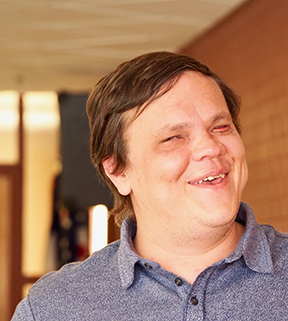 From the Editor: Brett Boyer joined the NFB when he was a twelve-year-old student from New Jersey. He has worked in customer service, radio, and voice acting. Today he is a technology instructor at the Colorado Center for the Blind, and he serves as president of the NFB’s Assistive Technology Trainers Division. He advocates for high expectations, self-reliance, and problem-solving skills in blind students of all ages.
When I was invited to write about access technology for this magazine, the request sounded simple enough. I would share information about the latest tech tools that parents and teachers of blind children should understand. There are plenty of tools to write about—smart canes, AI vests, wearable cameras, and next-gen recording tools such as Notta, Otter.ai, the Plaud NotePin, the Humane AI Pin, and the Meta smart glasses. All of these tools promise blind students greater independence than ever before.
But I’ll be honest. It’s hard to sit here and say with confidence what’s “the best” when it comes to tools. Instead, I want to offer something more meaningful—especially if you’re a parent new to this journey or an educator looking to support your student in deeper ways. As someone who has spent more than a decade teaching access technology, I’d be missing the point if I only handed you a list of gadgets. Here’s the truth: access technology isn’t magic. It’s a set of tools, and tools are only as powerful as the person using them.
The Tech Has Changed—The Goal Has Not
When taught with purpose, high expectations, and a clear strategy, access technology absolutely can unlock full participation and independence for blind and low-vision students. Too often, however, the tech itself gets treated as the final solution. A student is handed a notetaker or an iPad with VoiceOver, and everyone feels relieved. But access tech is not self-explanatory—it requires real instruction and exploration.
If we want students to succeed, we have to shift the focus from what we’re giving them to how we’re teaching them. That’s where Structured Discovery comes in.
So yes, I’ll introduce some tried-and-true tools and some exciting new tech that’s worth knowing about. More importantly, I’ll show you how to think about access technology in a way that sets students up for long-term success.
A Big-Picture Look at Assistive Technology
The term assistive technology encompasses a wide range of tools and platforms. If you are new to this world, here is a quick look at the major categories and how each of them can support a blind student’s journey.
Screen Access Tools
These tools include screen readers such as JAWS, NVDA, and Narrator for Windows; VoiceOver for Apple products; and ChromeVox for Google platforms. Screen magnifiers and visual enhancements such as high contrast modes also fall into this category. These tools help students access computers and mobile devices nonvisually or with visual support.
Text-to-Speech and Reading Support
These tools help students tackle inaccessible or cumbersome documents, books, or web pages. Popular apps such as Voice Dream Reader, Speech Central, and others are great for reading PDFs, eBooks, and HTML documents. Many also can pull text from websites and read it aloud. They are especially helpful for long-form reading or offline studying. While they don’t replace screen readers, they can be a valuable part of a student’s toolkit.
Braille Technology
Braille displays are an incredible asset—especially for visual learners and students developing literacy skills. These devices work with phones, tablets, and computers, allowing students to read and write tactilely.
Notetakers are Braille displays with expanded functionality, often including built-in apps for file management, email, or math and music support. Used properly, they can give students greater independence and open up learning opportunities.
While three main companies currently dominate the market, newer players such as Dream Vision Group, Bristol Braille, and Orbit Research are bringing innovative options to the table.
One exciting development is the Monarch Braille Display, a multiline Braille device that makes it possible for users to access tactile graphics and spatial layouts. This is a major leap forward for accessible STEM education and one to keep an eye on.
Getting the Picture: Print Access and AI Tools
An explosion of apps now provides text recognition, photo description, and scene analysis. Some are brand new; others are trusted staples with upgraded features.
Apps such as Be My AI (within the Be My Eyes platform), PiccyBot, and ChatGPT Vision can describe images, documents, and even videos by using AI. Longtime favorites such as Seeing AI, Lookout by Google, and Voice Dream Scanner are still excellent for reading printed materials or inaccessible files.
One newer standout is Scribe Me, an AI-powered app that extracts text from tricky formats such as PowerPoint slides and image-based PDFs—great for classroom use.
Some of these tools now pair with wearable devices such as Meta smart glasses, offering real-time environmental descriptions. Devices such as the Humane AI Pin and Plaud NotePin go a step farther, combining AI-driven transcription, note capture, and image recognition into a single, portable tool. These all-in-one tools can be great for students on the go, but like all tech, they’re only effective when introduced with purpose and strategy.
If used too early or relied on as shortcuts, even the most impressive AI tools can reinforce dependence. Blind students should never feel that they need to rely on sighted feedback—human or artificial—for everything.
Orientation and Wayfinding Tools
Apps such as GoodMaps, VoiceVista, and Lazarillo provide audio-based navigation and guides to points of interest, indoors and outdoors. They’re great for route planning and orientation, but again, they should support exploration—not replace it.
Mainstream Tech with Built-In Accessibility
Do not underestimate what is already in a student’s backpack! The iPhone Voice Memos app now transcribes audio recordings, which students can feed into AI tools such as ChatGPT or Gemini to generate study guides or summaries. That kind of integration—blending built-in features with advanced tools—can be a major game-changer for independent learning.
Google Gemini is now part of Google Assistant as well, giving you unprecedented control over your Gmail and other Google products.
iPads, Chromebooks, and Windows laptops also come with built-in screen readers and magnifiers. These systems evolve constantly, and students who understand how to use the entire operating system—not just its accessibility features—can do a lot more with confidence.
Avoiding Closed Systems and Tech Traps
Too many students spend years relying solely on notetakers or apps that limit exposure to broader systems. When they reach college or enter the workforce, they find themselves behind—lacking skills in basic file management, word processing, or collaboration platforms such as Zoom, Teams, or Google.
Blind students need access to mainstream systems. They should be able to write papers, organize documents, and explore new tools with confidence. This kind of tech fluency builds independence—not dependency.
Why Structured Discovery Still Matters
Structured Discovery is more than a teaching method—it is a mindset. It is about helping students explore, make mistakes, recover, and grow. Instead of memorizing keystrokes, they learn how systems work and how to troubleshoot when something goes wrong. Even kindergarteners can start building this kind of confidence.
Parents: Don’t step in too quickly. Give your child space to try, fail, and try again, especially outside of technology.
Teachers: When a student gets stuck, don’t grab the mouse. Resist the urge to fix it—whatever it may be. Coach your student instead. That is how real skills—and real confidence—are built.
Takeaways for Parents and Educators
Choose tools based on your student’s goals—not trends or hype. Prioritize systems that teach full platforms, such as Windows or iOS—not just closed ecosystems. Introduce Braille early—especially for low-vision students. Large print isn’t always sustainable. Don’t over-rely on AI or remote assistance. Build self-reliance. Involve blind adults and IEP advocates in tech decisions whenever possible.
Most importantly, play, explore, and check out all the latest and greatest stuff that is out there.
Final Thought
Technology changes fast—but the foundation doesn’t.
Students who know how to explore, adapt, and problem solve will be ready for whatever comes next. We have a saying at our center: “Take charge with confidence.” When a student can do that, they can take on anything!
Additional Resources
While writing this article, I came across a few gems that I thought were worth sharing:
Desmos Graphing Calculator
https://www.desmos.com/#;bcg-main-content-region-
A surprisingly accessible tool for students who need audio or visual alternatives to traditional math tools.
Creating a Safe Space for Learning Technology
https://www.perkins.org/resource/creating-a-safe-space-for-learning-technology-cultivating-a-growth-mindset
A great read on how growth mindset intersects with tech instruction.
What I Wish I’d Learned About Assistive Technology before Starting College
https://www.perkins.org/resource/what-i-wished-i-had-learned-about-starting-college-video/
Honest reflections from blind students that hit home, especially around tech readiness.
FS Companion AI
https://fscompanion.freedomscientific.com
An experimental AI assistant from Freedom Scientific, designed to provide screen reader and application support.