American Action Fund for Blind Children and Adults
Future Reflections Summer 2025 PRODUCT REVIEW
Accessibyte: An Exciting Tool for Building Typing Skills
by Melissa Riccobono
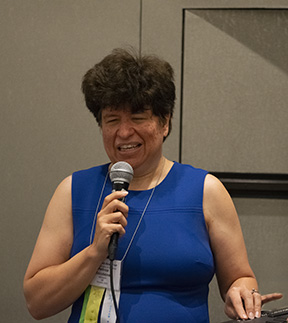 From the Editor: As most readers of Future Reflections are aware, Melissa Riccobono is the First Lady of the National Federation of the Blind. She is also an educator and the parent of three children, two of whom are blind. From these perspectives she writes about an exciting program for teaching students the critical skill of typing on a Qwerty keyboard.
Play is, without a doubt, the work of childhood. Many professionals see children as “little scientists.” They argue that by playing, children practice various physical, social, and emotional skills; learn about the behaviors of objects and other people; and find ways of expressing themselves and working through life experiences.
There is no doubt that play has changed over the years. Most of the play I love to encourage takes place outdoors. When it’s time for inside play, it usually involves doing something active such as building a fort out of boxes; serving pretend food at your own restaurant; or teaching a class of dolls, stuffed animals, younger siblings, or even parents in your very own school.
However, today another type of play is available to most sighted children: play with an iPad, other tablet, or videogame system. Say what you want about screens—the fact is, they are here to stay. Due to the availability of games such as ABC Mouse, sighted children are gaining reading skills, app and tablet navigation skills, and even typing skills—all while they play.
Where does this leave blind children? Well, some auditory games work with VoiceOver gestures for the iPad and with other computer skills. These are fine games, but often they seem very basic, at least to me. However, I am aware of one resource that is incredibly fun, engaging, and accessible to blind and sighted children alike. And, as a huge bonus, it teaches two incredibly useful skills—typing on a Qwerty keyboard and using a Perkins style keyboard to learn and form Braille letters. The company behind this and other resources is called Accessibyte.
A Pandemic Discovery
I discovered Accessibyte and their product, Typio, in the very early days of the pandemic. Schools had shut down, and though the school my children attended was doing its best to provide educational content, it was limited in what it could offer. So I had three bored children; what was a mom to do? I decided this was a great time to go back to basics.
I knew that in order to be successful in this increasingly digital world, all of our children need to learn to type efficiently. I had long bemoaned the fact that keyboarding was not being taught at my children’s school. Though our younger daughters had typing goals in their IEPs (Individualized Education Plans), we did not have access to whatever software was being used to teach them. I searched for something to bridge this gap … and what a thrill it was to find Typio!
Typio is a completely self-voicing accessible program that teaches keyboarding. The user works through the entire Qwerty keyboard, lesson by lesson. The best part? Actually, there are many best parts! The one I like the most is the fact that, for younger children, or even older children who enjoy playing games, Typio encourages completing lessons and making progress by having the student create a “Typing Pet.” You hatch the egg of the pet by pressing random keys on the keyboard. Your pet is given a name, is described, and has lots of fun, creative characteristics. The more you type, the more your pet grows.
The Typio Journey
As you progress along your “typing journey” by completing lessons and mastering the keyboard, you earn coins as well as stars. You can spend your coins to purchase things such as food, supplies, and toys for your pet. And, of course, all of this is easy to navigate, completely accessible, and, at least for most children, motivational.
The pet is visually appealing for anyone who has low or perfect vision.
Of course, it is not absolutely necessary to use this feature, and you can choose to go through the lessons without raising a pet. But with this program, blind kids finally have the chance to gain skills by playing a game that is also visually appealing. They can learn to type with the same program used by their sighted classmates, friends, or family members.
I have been impressed with the Typio lessons. New keys are clearly introduced, and you can practice pressing the keys before starting the lesson to make sure you know where they are. As soon as you know enough letters, you go from pressing only single letters to typing words and, in later lessons, sentences. In order to pass a lesson, you need to type at a certain speed. Even if you pass a lesson, you can go back and work on it again for review at any time.
Typio is available anywhere with access to an internet connection. You can use a desktop computer, laptop, iPad, or iPhone. If you choose to use a phone or tablet, I suggest having an actual keyboard connected to the device. Using a keyboard will make learning to type much easier and will promote proper finger placement. Also, the student will receive tactile feedback from the keyboard. You still can use the on-screen keyboard to practice typing if you are in a pinch. This is an incredible feature. A student could gain access to Typio at school, be given their login information, and be able to use Typio at home, even if their home device does not yet have a screenreader.
Exploring Typio Pro
These are the features of the basic Typio program. Accessibyte, however, offers even more! If you sign up for Typio Pro, you get all the features of Typio plus Braillio. Braillio is just like Typio, but your typing pet is raised and grows as you complete your journey to learn typing letters and contractions on a Perkins-style keyboard. If you have a Braille display, it can be hooked up to a device and used to enter the Braille characters. If you do not have a display, however, you can use the f, d, and s keys on a Qwerty keyboard for dots 1, 2, and 3, and the j, k, and l keys for dots 4, 5, and 6. Again, this means you can practice Braille writing wherever you are, as long as you have a device and an internet connection.
Typio Pro also offers a flashcard program for studying for tests, access to a dictionary and encyclopedia for research, and an arcade with accessible video games just for fun. The website also includes information about Accessibyte Studio, which is supposed to combine many apps into an easy-to-use interface.
Much as I like Typio and other Accessibyte programs, I do have a few caveats. I believe using mainstream apps such as Microsoft Word and Google Docs is the best option for blind kids. If a student uses Accessibyte Studio exclusively, I would worry that it might provide only a handful of tools for each app rather than the full experience. This situation seems similar to having a student use a Braille notetaker for most or all tasks, without developing skill in the use of mainstream technology. Perhaps Accessibyte Studio will have its place among very young blind students, or perhaps it will be useful to blind seniors who need and might appreciate a simpler interface while they learn to use a computer for the first time. It might also be a tool for students with multiple disabilities. It is not clear when Accessibyte Studio will be released, but this will certainly be an app to review when it does become available.
Several times I have had the pleasure of speaking with Joe Jorgenson, the owner of Accessibyte. Each time I am impressed with his commitment to this project, which he created on his own as a side business. He wants and responds to feedback. He is constantly looking for ways to make this product better, and if there are problems, he will work with you to solve them. This is a small business, and he is always looking for ways to spread the word.
On the Practical Side
I am extremely happy to share Accessibyte with all of you. I believe it is a tool that should be used in many more classrooms and homes around the US, for both blind and sighted children.
Typio and Typio Pro offer fourteen-day, fully functional free trials. You can purchase an individual home license for Typio at a cost of $69.95 a year. The annual cost of Typio Pro is $99. No monthly plans are available. This cost may seem steep, but many popular children’s learning games, such as ABC Mouse, actually cost more for a yearly subscription.
If you are a teacher, you can get the school edition of Typio Pro. Pricing varies, depending on how many student seats you need, but this version comes with a teacher dashboard. You can set up students’ accounts, view their progress, create custom lessons, design flashcards for studying, and much more. I purchased a school edition license during the pandemic so I could provide accounts for all three of my children. This option could be great for families that homeschool, as more than one child can have an account.
The NFB of Maryland worked with Joe Jorgenson to offer Accessibyte to the students in our NFB BELL® Academy last year. Again, I have found Joe a pleasure to work with, always open to new ideas. He is very receptive if you have a conversation with him about what you might need in order to include Typio as part of a program, homeschool, or classroom.
Are Typio and Typio Pro perfect? Undoubtedly not! I’m sure there are things we all would like to see changed. On the other hand, these are well thought-out resources that are motivational and are visually and nonvisually appealing. They teach skills that are greatly needed for future success. Accessibyte is run by someone who wants to make these products the best they can possibly be. So I say, let’s consider using Typio and Typio Pro! Let’s get these tools into the hands of blind and sighted kids and see what they say. As teachers, let’s use the dashboard features, customize lessons, track progress, and put all the pieces of this tool through their paces. And then, let’s give feedback—positive when it is deserved, and wishes for improvements when the tool does not perform as we hope.
Right now few in our community know about the tools Accessibyte has created. I hope this article brings these resources greater attention. I truly think they are special, and they can get even better over time.
For more information about Accessibyte, visit http://www.accessibyte.com.