American Action Fund for Blind Children and Adults
Future Reflections Winter 2026 TECHNOLOGY
Update on the Monarch: An Interview with Greg Stilson
by Jonathan Mosen
Based on an Access On Podcast
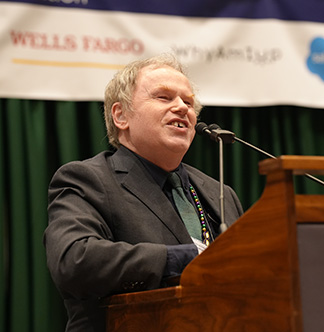 From the Editor: As most readers of Future Reflections are aware, the Monarch is a revolutionary piece of Braille technology developed through a collaboration between American Printing House for the Blind (APH), HumanWare, and the National Federation of the Blind. In this interview, Greg Stilson of APH shares the history of the Monarch and introduces some exciting new developments.
JONATHAN MOSEN: Blind people have wanted it for years—a multi-line Braille display. Some of us even started calling it the Holy Braille! Now we have it. It is called Monarch. It grew from a collaborative venture between APH, HumanWare, and the National Federation of the Blind.
I’m sitting here in the Jernigan Institute with Greg Stilson from APH. Welcome back, Greg. Tell me about the journey of the Monarch.
GREG STILSON: We have nearly fourteen hundred devices in the wild, being used by students, teachers, professionals, and trainers globally. This journey started in 2020 when we put out a request, asking mainstream and assistive tech companies to open up their NDAs (non-disclosure agreements) and tell us about some of the top-secret Braille stuff they were working on.
The goal was to develop a multi-line tactile intelligent display. We saw a number of prototypes. It was the partnership of HumanWare and Dot Incorporated out of South Korea that really brought this dream to reality. We had the vision of what we wanted to see, but the technology didn’t exist to bring forward what we have today. That partnership with Dot and HumanWare, along with the National Federation of the Blind later on in the journey, was what made it happen.
JONATHAN: I don’t know how much Dot has released publicly about their Braille technology, but it’s different, isn’t it? I mean, it feels different, but also it’s a lot lighter than the piezoelectric cells. That is a significant factor when you’ve got line after line of Braille.
.jpg) GREG: Most people think that what you see is just the cells, and that’s it. The reality is there’s a whole piece of technology called the back panel that goes behind those cells. Stacking these cells in the fashion that we have with the Dot cells just wasn’t possible. The most you could ever do with those cells is two lines, because you have the additional technology that supports the movement of the piezoelectric cells. The interesting part about the Dot cell is what you see is what you get. The cells are extremely thin. I’m not going to say paper thin, but they’re not very thick at all. We can sort of assemble them like Legos next to each other, so you can create different spacing. In our case, we’ve created a tactile array that’s equidistant pins apart, but we’ve got a sort of algorithm where we skip certain numbers of columns between characters to represent the typical Braille spacing.
GREG: Most people think that what you see is just the cells, and that’s it. The reality is there’s a whole piece of technology called the back panel that goes behind those cells. Stacking these cells in the fashion that we have with the Dot cells just wasn’t possible. The most you could ever do with those cells is two lines, because you have the additional technology that supports the movement of the piezoelectric cells. The interesting part about the Dot cell is what you see is what you get. The cells are extremely thin. I’m not going to say paper thin, but they’re not very thick at all. We can sort of assemble them like Legos next to each other, so you can create different spacing. In our case, we’ve created a tactile array that’s equidistant pins apart, but we’ve got a sort of algorithm where we skip certain numbers of columns between characters to represent the typical Braille spacing.
JONATHAN: When people come to the International Braille and Technology Center (IBTC), where they can put their hands on a Monarch, they definitely feel that it is different in some way. People say to me, “It feels a little bit like thermoform,” and they don’t notice it after a short time.
GREG: HumanWare and Dot worked for years to get their Dot cell feel. The touch of the pins feels as close to piezoelectric as you can get. What feels kind of thermoformy is the membrane that goes over the top. However, it doesn’t get as sticky as thermoform, or squeaky. I hated reading Braille on thermoform, because if your fingers got at all sweaty, or if there was any moisture in the air, you would get that squeakiness. You don’t get that on the Monarch’s membrane, but that membrane is there for a very specific reason. The pin technology that’s used in the Dot cell is electromagnetic. There’s a magnet that is basically flipping a cam inside the cell. The slightest amount of dust or finger oils that gets in there would prevent the pin from flipping correctly. So that membrane is essential for this technology to work.
We have nearly fourteen hundred units in the wild, each consisting of 480 cells. I’m proud to say we’ve received only two devices back for repairs, each with only one defective cell. In the refreshable Braille world, which is just unheard of!
One of the things we have on the Monarch is the touch sensor. We know where your fingers are. When you lift your finger up or lift your hand up, we are able to fix those pins immediately. That’s something we’re doing in the short term.
JONATHAN: Let’s talk about why anyone would want this. I’m sure there are people saying, “Look, I’ve been using refreshable Braille for all this time, and my single line of twenty or forty, or if you’re really lucky, eighty cells has been sufficient.” I think it’s fair to say that the catalyst for APH creating this is to get it under kids’ fingertips.
GREG: The funding mechanism was there. We knew that multi-line Braille had tremendous educational uses. APH is the largest producer of Braille textbooks in the country. If we could deliver textbooks or content electronically, we could create a cheaper path to getting material to teachers and students, right?
JONATHAN: Wouldn’t it be possible, without Monarch, simply to get a textbook to a child who would open it up on their regular old forty-cell notetaker?
GREG: Think about when you use a textbook. You do a lot of skim reading, right? You’re looking for indentations, paragraphs, headings, and tables. STEM textbooks require significant amounts of formatting. Even in literature, formatting is important for poetry.
When you look at a textbook, you’re absorbing much more than the content. You’re absorbing what is important because it’s in a box, or you’re discerning what is centered, what is right justified. On a single-line Braille display, you miss out on a lot of that content. You’re seeing it as sort of a ticker tape, if that makes sense.
JONATHAN: We’ve had concerns for a long time about ensuring that kids can participate fully in STEM subjects. Tell us a bit about graphics on Monarch.
GREG: We looked at our fiscal year 2025, the first full year that Monarch had been in existence. Over 48 percent of the graphics that were downloaded from the Tactile Graphics Image Library (TGIL) at APH—that’s over nineteen thousand graphics—were downloaded by Monarch users directly. That shows that there is a tremendous demand for instant tactile graphics! Until now, blind students have never had access to learning what something looks like by searching a database.
JONATHAN: Is it possible at the moment to open up a JPEG on the Monarch and see what it does?
GREG: Not a visual JPEG. That’s the dream, and that’s where AI comes in. I don’t want to see a tactile graphic being simply an outline drawing. When you talk to folks in the sighted world they say, “All they need is an outline, and that’s it.” The Braille Authority of North America (BANA) released graphics standards for a reason.
JONATHAN: So, at the moment then, the only way to get graphics is to use the library that’s built in?
GREG: We also offer a tool that we call Wing It. It’s a way to pair a smartphone or an iPad with the Monarch. It allows a peer, sighted or blind, to draw anything on that glass surface, and whatever is drawn is replicated on the Monarch instantaneously.
Often the gen ed teacher forgets to provide a graphic ahead of time to the teacher of the visually impaired. This allows that teacher or the teacher of the visually impaired, or even a sighted classmate or blind classmate, to draw on the iPad screen. You can add labels even without knowing Braille.
For example, let’s say they’re determining whether an angle is acute or obtuse. You could draw the angle and then label it however you want to label it.
When you’re labeling, the user doesn’t have to know Braille. When you tap the label button on your iPad, it will pop up the iOS keyboard. You type in whatever that label is, and we translate that into a Braille label instantaneously.
JONATHAN: Wing It is a lot of fun. As a blind person, it’s fun to doodle around and see what comes up on the Monarch. It’s not a freedom many of us have had before.
GREG: When we demonstrated Wing It at the 2025 National Convention, people would draw their signature. The number of people who had never felt what their signature looked like was incredible!
JONATHAN: Let’s talk about some of the concerns. One of the things we are hearing is concern about giving a kid a device that’s so expensive. If they break it, what’s going to happen? These kids are young, and they’re going to knock it about.
GREG: We built this with kids in mind. We’ve done drop tests. Don’t forget, we give sighted kids iPads with glass screens when they’re only two years old. There’s always been resistance around handing blind kids’ assistive technology and allowing them to take it home. But my sighted third-grader can take home her Chromebook.
I really have a problem with gatekeeping this technology, because so much unintentional learning happens at home. APH and HumanWare stand by our warranties. It’s a two-year warranty on this device. We stand by the technology that’s in it as well.
Would you not let a sighted kid take their technology home? Would you not let the sighted kid take their technology from class to class? In most cases, they allow the sighted population to do that.
JONATHAN: You’ve commented that there are cost savings over time if a kid gets a Monarch early. Have you been able to quantify those?
GREG: If a student is using hard-copy textbooks, you have to look at the transcription cost. We estimate a cost of about six thousand dollars every time an embossed copy is run, when you add up transcribing, proofreading, paper, binding, and postage.
Sighted kids love their multimedia content, and it can be incredibly impactful for learning. This is also a possibility with Monarch, in the sense that it’s not just all reading textbooks and looking at graphs. Kids can have the same fun, accessible way of learning and playing at the same time.
I think that this is where I’m most excited. Early on we created a software development kit for the Monarch so that APH and HumanWare aren’t the only companies developing content for this tactile platform. This year we developed a partnership with PBS Kids. One of the games they have for their PBS Kids app is Cyberchase Echo Explorer. This is a perfect example of what a tactile educational game can be. It combines tactile graphics and a game board where you can physically move a character around. It provides Braille content, and it has sound effects and great music. You’ve seen the chess game on the Monarch. That’s the tip of the iceberg.
JONATHAN: What are you learning about how adults can benefit from so much Braille real estate?
GREG: We’re seeing some incredible innovation around multi-line Braille. You’re able to do what they call cropped mode, which allows you to format a table in a table form. You can actually feel the rows, the columns, the cells. You can point and click within a cell and then expand it. If you’re looking at an Excel spreadsheet, you can point and click and reveal the formula or whatever the content is in there.
They’ve also implemented split mode, which is really unique. I see people using it in different ways and in different use cases, where you’re able to select how much of the display real estate you want to give to one app, and then select how much you want to give to the other app. For instance, you have your Microsoft Word document on the lower portion of your Monarch, so if you want to make sure you’re keeping good time, you have a clock on the upper half.
JONATHAN: But it’s expensive, isn’t it? This is the elephant in the room. It costs a lot of money, this thing. You have to spread the cost of development among a smaller number of units and all that sort of thing. How do we get those who might fund these items, both in education, in voc rehab, whatever, to a point where they understand the value of this device for employment and education?
GREG: That’s a great question, and it is the elephant in the room! Much of the first-of-its-kind technology in our field was extremely expensive. The Kurzweil reading machine was over twenty-five thousand dollars when it first came out back in the Seventies. Cost will come down as we get more of these devices out there. I encourage parents, teachers, and students to get in touch with their ex officio trustee in their state. That’s the person who manages the APH funds and can write a justification letter on why the student would benefit from Monarch.
My sighted daughter rarely reads physical textbooks anymore. Most of her reading is on a screen of some sort. I look at that as the equivalent to what we provide our blind students today. She’s still getting a fully formatted page of text on the visual screen. If the technology is there and the funding is there, a multi-line Braille device is the tool that’s going to provide blind students equal access to information.
I start there and have teachers and students speak to their ex officio trustee. Every state has one or two of them. For college students and professionals, Monarch can be funded through voc rehab. I’ve coached several students, especially in college, on how to write justification letters, citing unique things that this technology does. I would say number one is electronic delivery of textbooks for faster and cheaper access. Number two, if you have a student who’s in STEM, they’re going to need access to the Desmos graphing calculator. It provides access to a tactile image or a tactile graph that they create, unlike anything that they’ve ever had before.
I used to create graphs using Wikki Stix and a physical piece of Braille graph paper. I would plot my points and put my Wikki Stix to connect the dots. I never knew if it was right or wrong. I didn’t know what would happen if I changed the graph. If I change the minus one to a plus one, how would that impact the graph? I’d have to pull my Wikki Stix off and regraph it. With the Monarch you regraph an equation in Nemeth or UEB Math Code, you can choose to graph it, and instantly it will show you what that graph looks like. It’ll show you where the X and Y intercepts are. If you need to change it, you can go back and change it, and it regraphs it on the fly. The math integration with the Microsoft Word that we have on here, along with the Desmos graphing calculator, really creates a solution that’s unlike anything else.
JONATHAN: Then this is an equity issue. If sighted students have access to electronic text, then blind people are just as worthy. They should be able to do the same thing. The second is that question of cost efficiencies to be gained over time. So, when you look at them both like that, you have a very strong case.
I have seen adults who have saved up or made some sacrifices, gotten a loan even, to buy a Monarch because they were so excited. It was the kind of device they’d waited for forever. Sometimes their considerable sacrifice is really amazing, the way it’s changed their lives.
If you’re out there doing your job with your forty-cell Braille display, how do you pitch it to say, “Well, actually I’d be better off for the Monarch.”?
GREG: You’re going to see this device grow exponentially. We didn’t have Wing It a year ago, and now it’s there. We’re going to be releasing a periodic table app. So, the value of the device and the use cases it’s going to support are growing exponentially. One of the most common features we’re being asked for is cloud storage. One of the things that you mentioned, Jonathan, is in a workplace.
Work places use cloud storage. We’re going to add access to Office 365 or cloud storage and Google Drive as well. A number of vocations really lend themselves to the Monarch.
If you’re doing a lot in Excel, that’s a case to use your Monarch with JAWS. You are able to quickly browse a spreadsheet with your finger. Rather than having to arrow through each cell or each row, you’re able to scan the screen, pan up and down and find where you want to actually click in and do some work. We have some UI designers that really have taken advantage of Wing It to sort of structure their user interface design.
So, there are some significant use cases that can justify such a tool. If you present a lot, I can tell you firsthand that presenting on a multi-line Braille display or reading a speech is a much better experience than trying to do it on a single-line display. You can scan down a margin and find your next bullet point, find the next section that you want to speak to. So, there are several use cases that absolutely can be justified.
I have been reading from electronic Braille for every public presentation since 1996. For me, initially, it was an adjustment to use the Monarch. I was used to that one line of Braille. Now that I am used to the Monarch, I wouldn’t want to go back! It has improved my efficiency and productivity in all sorts of environments.
The number one use case that I love hearing about is people re-falling in love with reading. I’ve read so many stories about people who start reading, and it takes them a little bit to get used to the Braille spacing or the dots or whatever it is. And then after a day or so, they start to read like they would read on paper. That is something that always touches me. When we built this device, we said the number one thing it has to do is feel like you’re reading a piece of paper. To me, the greatest excitement that I can get is knowing we pretty much achieved that goal. Now folks can have access to as many literature books or textbooks or whatever they need. And it feels like reading on paper.
JONATHAN: For such a major investment, you want to know that it’s evolving. I’ve been using a Monarch for a year now, and I have seen it become a lot more stable and capable. You’ve already mentioned some of the new things that are coming, such as cloud storage. What about the ability to pair with your iPhone or Android device via Bluetooth? Currently, the terminal mode only supports USB. Is that something that’s coming?
GREG: Yes. In version 1.4, we will support Bluetooth terminal. Apple is currently working with the device, but typical of Apple, they don’t tell us when it will be available. We hope to see that in the next 26 point something release, but the Bluetooth protocol is supported. So, you’ll be able to pair immediately with JAWS or NVDA.
JONATHAN: Anything else you can tell us about that’s not too far away?
GREG: One thing we know is a need, and especially in the classroom, has to do with assessments. If students are using Monarch on a daily basis, they get tested, and they have assessments and things like that. Oftentimes you’ll be using one device for your daily work and then the assessment will require that you use something completely different to be assessed on.
Sadly, I think one of the biggest challenges our blind students face is getting assessed on the technology use rather than the content from the assessment. One of the things we’re doing is working with some of the larger assessment companies here in the United States to support Monarch through their assessment platforms. I can’t say much more beyond that, but just know that we are working with those partners and making sure that the students, if they are using a Monarch during the day, can use it also through their assessments.
JONATHAN: You mentioned the Dot Pad X earlier. That’s interesting, because Dot Incorporated is an OEM, an original equipment manufacturer supplying you with Braille cells. They’ve also gone into the retail market by coming up with Dot Pad X, and they’re marketing that here in the United States. Is that an uncomfortable position to be in?
GREG: You’re a great interviewer, Jonathan Mosen! They are a great partner in working with us on the specifications that we have. I know that they also have obligations to their own shareholders and directions that they need to go. I think the devices are very different. I equate one to a PC compared to a refreshable Braille display like we have today.
The Monarch is a fully intelligent computer, and the Dot Pad is a display for something else. I think they both have their place, and the technology that Dot has created is on its own. It is the best thing that’s available for multi-line Braille today, and we are incredibly happy to be working with them.
JONATHAN: Are you confident that since this device is running Android, it’s not going to get into a position where networks may refuse to let it connect because the operating system is getting a little old?
GREG: We are already looking at that, and there will be an Android update coming in 2026. The nice thing is that, because this device is so different, it’s nothing that would fit into the Google Play Store box today. The support isn’t available. Having the content that would work with a multi-line experience isn’t available through Google yet.
We’re going an uncertified route. The way that we have allows us to be more flexible in being able to update quickly. So, we’re confident that we’ll be able to continue updating Android as needed.
JONATHAN: Well, we will continue to focus on this wonderful world of multi-line Braille. The Monarch is the leading device in this category in terms of all of the things that it does. We’ll keep focusing on that and other devices. And we look forward to having you back on the podcast in future to discuss how Monarch is evolving. I really appreciate that.
GREG: Thank you so much for having me! I look forward to the next time.
JONATHAN: That’s Greg Stilson. We are going to feature a demonstration of the Monarch next week. Since it talks, it’s an easy device to demonstrate. In the meantime, if you want to find out more about the Monarch, you can go to aph.org/product/monarch.
That concludes this episode of Access On, the technology podcast of the National Federation of the Blind. To send in a contribution for a future episode, email us, attach an audio clip, or just write it down and send it to [email protected].
To keep up to date with Access On, follow us on Mastodon, [email protected]. To subscribe to an announcement only email list about upcoming episodes, send a blank message to [email protected]. To learn more about the National Federation of the Blind, visit our website, nfb.org or phone us, 410-659-9314.